Products
Download
- Download All Products
- Download FairStars Audio Converter Pro
- Download FairStars Audio Converter
- Download FairStars Recorder
- Download FairStars MP3 Recorder
Purchase
- Order FairStars Audio Converter Pro
- Order FairStars Audio Converter
- Order FairStars Recorder
- Order FairStars MP3 Recorder
Support
Freeware
FairStars Recorder
Version: 4.00
File Size: 2.90MB
Requirements:
- Windows 2000/XP/2003/Vista/7/8/8.1/10, 32bit or 64bit.
- Intel Pentium 4 or AMD Athlon Dual Core, 1.6 GHz or higher with SSE2 technology.
- Full-duplex sound card.
License: Shareware, 2-minute recording trial, the registration fee is $24.95.
Product Update (Registered users only): Free!
Recent Changes (Since v3.90):
. Add high DPI support.
. Correct an error for recording from capture device under Windows 10.
. Correct some mini errors.


Brief Description
FairStars Recorder is a real-time audio recorder, offering professional recording features with full support for WMA, MP3, OGG, APE, FLAC and WAV formats. It allows you to record sound directly from your sound card, including from a microphone or a line-in jack at high quality. It can be used to grab any sound, including music, dialogs from movies, game sounds, streaming audio or anything else. The captured sound can be saved directly to WMA, MP3, OGG, APE or WAV format, without the need for temporary files. In addition, the program includes a ID3 tag editor and recording schedule. Additional features include silent skip (Silence Detector), file size limits, recording wizard, audio cutter and more.
Main features
- Record audio from sound card directly to WMA, MP3, OGG, APE, FLAC or WAV format with high quality.
- Record sound directly from plackback device(only for Vista/2008/Widnows 7).
- Real-time sound monitor before recording, easy to select record device and adjust the volume(you may enable it on the Advance page of Record Option panel).
- Skip silent passages, stop recording or record to a new file automatically after a set time silence (Silent Detector).
- Stop recording or record to a new file automatically when reaching a set file length, size or time (File Limitation).
- Add files to File List automatially (File Append).
- Remove environmental noise automatically with the option Filters Setting.
- Support writing of ID3 tag when recording and showing when playback.
- Support ID3 tag view, import, edit, or transfer to the file in File List with TAG Editor and Tag Option.
- Recording Schedule for automatic recordings.
- Audio Cutter for cuting audio files.
- Easy Set feature for silent sensitivity.
- Recording Wizard for beginner.
- Easy-to-use user-friendly interface, and skin support.
- Record control with hotkeys.
Note
- 88KHz / 96KHz and 24Bit support only for WAV and FLAC formats now. Also, Not all audio device could be albe to support 24bit recording.
- When you record from a microphone or a line-in jack, mark the option "Autosetting" in "Advance" page may remove the environmental noise automatically.
- What is the difference between FairStars Recorder and FairStars MP3 Recorder?
FairStars MP3 Recorder is the lite version of FairStars Recorder. FairStars MP3 Recorder cannot support WMA and FLAC format output, no audio cutter tool, also not support Recording Recording Schedule, etc.
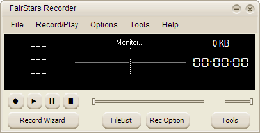
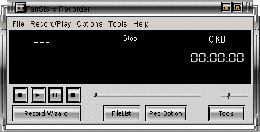
Screenshots: (Click to enlarge)
 |
 |